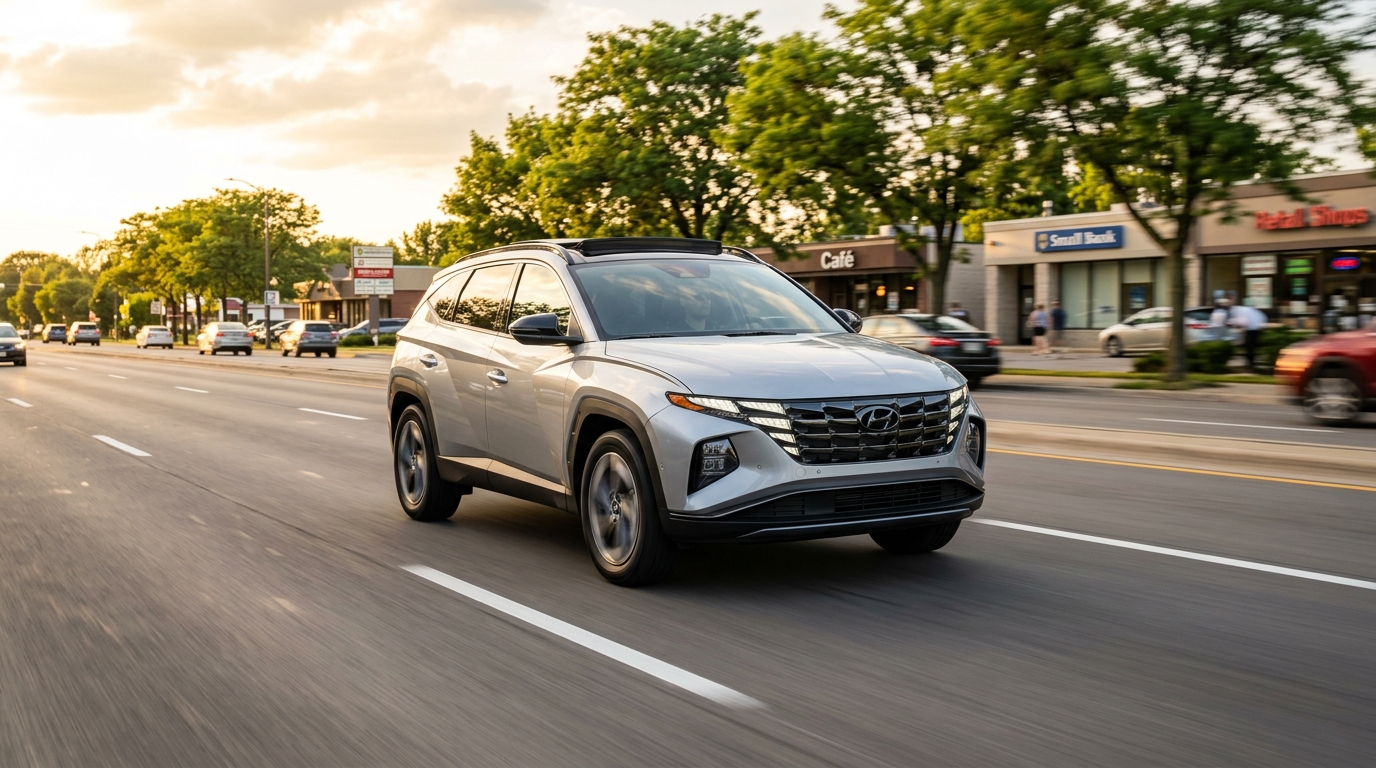
You can use Hyundai Lane Following Assist without cruise control active. Lane Following Assist operates as an independent steering convenience feature that activates via a quick press of the steering wheel lane button, providing continuous lane-centering control up to 85 mph whenever sensors detect visible lane markings, even when you control speed manually using the accelerator pedal.
Unlike systems from other manufacturers that couple automated steering directly to adaptive speed control, Hyundai engineers designed Lane Following Assist to function on its own. Drivers navigating morning traffic who prefer manual foot control over acceleration and braking can still enjoy automated steering support to stay positioned centered between lane lines. On modern Hyundai models like the 2026 Hyundai Tucson SEL Convenience, turning on lane centering does not force you to lock in a preset cruising speed via Smart Cruise Control.
When activated, the front view camera monitors lane markings continuously. If road lines are clear, the system applies gentle steering torque to help keep the vehicle centered in its lane. The system automatically pauses steering assistance if you activate a turn signal, maneuver aggressively, or if lane markings fade, then resumes automatically once clear lines reappear. Because driver attention remains necessary at all times, the steering wheel contains sensors to verify hands-on supervision; ignoring hands-on prompts will cause the feature to disengage.
When drivers evaluate new SUV configurations on our sales floor, one common question is whether lane-centering active steering requires locked cruise speeds during suburban drives. Experience shows that drivers appreciate having steering support during manual pedal operation for local trips near Lincolnwood Town Center, where traffic speeds fluctuate constantly. To experience these driver assistance features on a test drive, visit our Lincolnwood showroom location or give our team a quick call at (847) 582-3294.
Table of Contents
- Can Lane Keeping Assist and Lane Following Assist Be Active at the Same Time?
- What Does Adaptive Cruise Control Do Compared With Lane Following Assist?
- Does Highway Driving Assist Work on City Streets or Only Highways?
- What Conditions and Visual Indicators Are Needed for Lane Following Assist to Work?
- Common Questions About Hyundai SmartSense Safety Features
- Experience Hyundai Driver-Assist Features
Can Lane Keeping Assist and Lane Following Assist Be Active at the Same Time?
Lane Keeping Assist and Lane Following Assist can be active at the same time, operating as complimentary safety layers within the Hyundai SmartSense suite. While Lane Keeping Assist acts as an emergency perimeter guard to prevent accidental lane departure, Lane Following Assist works continuously to keep your vehicle centered within the detected lane lines.
Understanding how these two technologies interact clarifies how modern Hyundai models protect you and your passengers:
- Lane Keeping Assist operates primarily as a safety net. It monitors lane boundaries and intervenes with corrective steering or warning alerts only when the vehicle drifts close to or over a lane line without a turn signal.
- Lane Following Assist acts as a continuous centering guide. Instead of waiting for the vehicle to drift toward the edges, it makes active micro-adjustments to keep the vehicle directly in the middle of the lane.
- Simultaneous Operation combines proactive steering support with reactive edge correction, giving you maximum stability on multi-lane highways and open roadways.
On current Hyundai steering controls, a long press of the lane button toggles Lane Keeping Assist, while a short press toggles Lane Following Assist. This dual setup allows you to tailor your assistance levels precisely. For instance, you can keep Lane Keeping Assist running silently in the background while toggling Lane Following Assist on or off depending on traffic density. Together, these systems reduce driver fatigue during a long daily commute to Chicago while maintaining rigorous safety standards. If you are comparing trim levels or building a family vehicle budget, you can get pre-approved for financing online to streamline your buying process before taking a test drive.
What Does Adaptive Cruise Control Do Compared With Lane Following Assist?
Smart Cruise Control manages longitudinal vehicle motion including acceleration, cruising speed, and following distance, whereas Lane Following Assist handles lateral vehicle motion by steering to center the car within lane markings.
While both features form the foundation of modern semi-autonomous driver assistance, they perform distinct tasks:
| Feature | Primary Function | Primary Sensor | Operational Focus |
|---|---|---|---|
| Smart Cruise Control | Controls speed and distance to lead vehicle | Front Radar & Camera | Speed, braking, and distance gap |
| Lane Following Assist | Centers vehicle within lane boundaries | Windshield Camera | Steering input and lane positioning |
Smart Cruise Control uses radar sensors mounted behind the front grille to monitor the distance and speed of vehicles ahead. When traffic slows, it automatically eases off the throttle or applies the brakes to maintain your chosen following gap, even bringing the vehicle to a complete stop in stop-and-go conditions. Once traffic clears, it accelerates back to your set cruising speed.
Conversely, Lane Following Assist focuses exclusively on steering input. The windshield-mounted camera tracks painted lane boundaries, sending real-time commands to the motor-driven power steering to maintain a central path.
Because speed management and steering management operate on independent circuits, you can run either feature alone or combine them for complete highway assistance. Choosing a vehicle with both technologies gives you a practical, flexible setup that adapts to changing road conditions whether you are cruising open interstates or managing variable city traffic. To explore which Hyundai models offer these features across different trim levels, you can get directions to our dealership and speak with our knowledgeable team.
Does Highway Driving Assist Work on City Streets or Only Highways?
Highway Driving Assist works exclusively on designated access-controlled highways mapped in the vehicle navigation database, whereas basic Lane Following Assist operates on both city streets and highways wherever clear lane lines are detected.
Highway Driving Assist integrates Smart Cruise Control, Lane Following Assist, and onboard GPS navigation data into a unified system. When you enter a compatible highway, the system detects mapped infrastructure and activates automatically. On advanced versions like Highway Driving Assist II, the technology adds automated lane-changing capability when you engage the turn signal, as well as automatic speed adjustment based on GPS-mapped highway curve data and posted speed limit changes.
City driving environments present unpredictable variables that prevent full Highway Driving Assist activation:
- Unmapped intersections and traffic signals
- Frequent pedestrian crosswalks and cyclist lanes
- Faded or missing lane lines near bus stops and turning lanes
- Tight turning radii and sudden surface transitions
However, when driving through urban commercial areas like Devon Avenue in West Ridge, standard Lane Following Assist remains functional on municipal roads as long as camera sensors can identify painted lane markings. This allows urban commuters to utilize lane-centering steering assistance without requiring full highway mapping. If you have questions regarding driver assistance capabilities across our SUV lineup, feel free to contact our sales team for expert answers tailored to your driving habits.
What Conditions and Visual Indicators Are Needed for Lane Following Assist to Work?
Lane Following Assist requires clearly visible lane markings on both sides of the road, clean windshield camera sensors, speeds under 85 mph, and active hands on the steering wheel to operate correctly. System status is communicated directly on the digital instrument cluster through a steering wheel icon that changes color based on engagement.
[ Steering Wheel Icon: GRAY ]  --> System Standby (Searching for lane lines)
[ Steering Wheel Icon: GREEN ] --> System Active (Actively centering vehicle)
[ Steering Wheel Icon: FLASHING / WARNING ] --> Driver Attention Alert (Hands required on wheel)
To achieve active engagement, several operational prerequisites must be met:
- Optical Clarity: The camera lens mounted near the top of the windshield must remain free of ice, snow, mud, or heavy rain buildup.
- Lane Line Quality: Painted white or yellow lane lines must be crisp and continuous. Faded markings, gravel surfaces, or wet reflections can temporarily pause system operation.
- Driver Steering Input: Heavy manual steering torque overrides the system, temporarily handing full mechanical control back to the driver until manual steering pressure relaxes.
When you press the steering wheel button, a gray steering wheel icon appears on your gauge cluster indicating standby mode. Once the camera detects clear lane lines, the icon turns green, signaling active steering assistance. If conditions deteriorate or if you remove your hands from the wheel for an extended period, visual and audible alerts will prompt you to resume manual steering. If warnings are ignored, the green icon turns gray and assistance disengages safely. To learn more about sensor maintenance and system operation, you can reach out to our experienced staff for a complete walk-through.
Common Questions About Hyundai SmartSense Safety Features
Q: Who is responsible for vehicle control when Lane Following Assist is active?
The driver remains fully responsible for steering, braking, speed control, and overall vehicle safety at all times when Lane Following Assist is active. The feature is classified as a Level 2 convenience and driver-assistance function, not an autonomous driving system. You must keep your hands on the steering wheel, stay attentive to surrounding traffic, and be prepared to take immediate manual control whenever road conditions, weather, or sudden traffic movements require human intervention.
Q: How do I know whether my Hyundai has Lane Following Assist or only Lane Keeping Assist?
You can identify Lane Following Assist by looking at your steering wheel controls for a dedicated icon depicting a steering wheel situated between two lane lines. A short press of this button activates lane centering. Vehicles equipped only with basic Lane Keeping Assist feature a button showing a vehicle drifting out of lane lines. Additionally, checking your instrument cluster settings under the Driver Assistance menu will list Lane Following Assist explicitly if equipped.
Q: Why does my lane-centering assist disengage automatically during heavy winter weather?
Snow, slush, road salt, and heavy rain obscure the camera lens positioned at the top of your windshield, preventing the system from identifying painted road markings accurately. When visual clarity drops below operational thresholds, the system emits an audible chime, changes the cluster icon from green to gray, and disengages active steering. Keeping your windshield clear with fresh wiper blades and washer fluid restores normal functionality quickly once road conditions clear.
Q: Does using Lane Following Assist affect fuel efficiency on hybrid models?
Using Lane Following Assist has no measurable negative impact on fuel economy. The electric power steering motor uses minimal high-voltage battery power to execute small steering adjustments. In fact, on hybrid powertrains like the 2026 Hyundai Tucson SEL Convenience with its 1.6L turbocharged hybrid engine producing 231 hp and 271 lb-ft of torque, smooth lane-centering steering reduces unnecessary lateral scrubbing, supporting efficient highway cruising when paired with the SHIFTRONIC® transmission.
Q: Does Hyundai roadside assistance cover technology system warnings or sensor failures on the road?
Yes, Hyundai owner protection includes comprehensive emergency support if a sensor error or system warning light prevents safe driving. Coverage under 24/7 roadside assistance coverage provides towing to the nearest authorized facility, where certified technicians use genuine parts to calibrate radar and camera modules. To coordinate emergency service, contact Hyundai Roadside Assistance: 1-800-243-7766 for prompt support.
Our dealership supports your complete ownership experience from purchase through long-term care. Every new Hyundai includes the standard 10-year/100,000-mile powertrain limited warranty covered under the Hyundai Assurance program, alongside our Perfect Car Promise. Owners benefit from our 3-year/36,000-mile complimentary maintenance program for routine oil changes and tire rotations performed at our dedicated Hyundai service center. You can review scheduled maintenance guidelines through Hyundai Car Care benefits or manage vehicle telemetry using explore Bluelink+ connected services. To find current vehicle specials, explore view current Hyundai incentives or visit our Chicago area Hyundai dealer location today.
Pricing
Pricing by trim
| Feature | Blue SE HEV AWD | Blue SE HEV AWD (Before May 2026) | Limited AWD | Limited AWD (Before April 2026) | Limited FWD | Limited FWD (Before April 2026) | Limited HEV AWD | Limited HEV AWD (Before May 2026) | Limited PHEV AWD | Limited PHEV AWD (Before May 2026) | Night HEV AWD | SE AWD | SE AWD (Before April 2026) | SE FWD | SE FWD (Before April 2026) | SE HEV FWD | SEL AWD | SEL AWD (Before April 2026) | SEL Convenience HEV AWD | SEL Convenience HEV AWD (BFR May 2026) | SEL FWD | SEL FWD (Before April 2026) | SEL HEV AWD | SEL HEV AWD (Before May 2026) | SEL HEV FWD | SEL PHEV AWD | SEL PHEV AWD (Before May 2026) | SEL Plus AWD | SEL Plus FWD | SEL Premium AWD | SEL Premium AWD (Before April 2026) | SEL Premium FWD | SEL Premium FWD (Before April 2026) | XRT AWD | XRT AWD (Before April 2026) | XRT FWD | XRT FWD (Before April 2026) |
|---|---|---|---|---|---|---|---|---|---|---|---|---|---|---|---|---|---|---|---|---|---|---|---|---|---|---|---|---|---|---|---|---|---|---|---|---|---|
| Base MSRP | $32,200 | $32,450 | $40,675 | $40,925 | $39,175 | $39,425 | $41,825 | $42,075 | $48,300 | $48,550 | $42,575 | $30,700 | $30,950 | $29,200 | $29,450 | $30,950 | $32,050 | $32,300 | $34,650 | $34,900 | $30,550 | $30,800 | $33,650 | $33,900 | $32,400 | $40,075 | $40,325 | $32,800 | $31,300 | $35,050 | $35,300 | $33,550 | $33,800 | $34,725 | $34,975 | $33,225 | $33,475 |
| Destination charge | $1,495 | $1,600 | $1,495 | $1,600 | $1,495 | $1,600 | $1,495 | $1,600 | $1,495 | $1,600 | $1,600 | $1,495 | $1,600 | $1,495 | $1,600 | $1,600 | $1,495 | $1,600 | $1,495 | $1,600 | $1,495 | $1,600 | $1,495 | $1,600 | $1,600 | $1,495 | $1,600 | $1,600 | $1,600 | $1,495 | $1,600 | $1,495 | $1,600 | $1,495 | $1,600 | $1,495 | $1,600 |
Engine & Performance
Powertrain specs by trim
| Feature | Blue SE HEV AWD | Blue SE HEV AWD (Before May 2026) | Limited AWD | Limited AWD (Before April 2026) | Limited FWD | Limited FWD (Before April 2026) | Limited HEV AWD | Limited HEV AWD (Before May 2026) | Limited PHEV AWD | Limited PHEV AWD (Before May 2026) | Night HEV AWD | SE AWD | SE AWD (Before April 2026) | SE FWD | SE FWD (Before April 2026) | SE HEV FWD | SEL AWD | SEL AWD (Before April 2026) | SEL Convenience HEV AWD | SEL Convenience HEV AWD (BFR May 2026) | SEL FWD | SEL FWD (Before April 2026) | SEL HEV AWD | SEL HEV AWD (Before May 2026) | SEL HEV FWD | SEL PHEV AWD | SEL PHEV AWD (Before May 2026) | SEL Plus AWD | SEL Plus FWD | SEL Premium AWD | SEL Premium AWD (Before April 2026) | SEL Premium FWD | SEL Premium FWD (Before April 2026) | XRT AWD | XRT AWD (Before April 2026) | XRT FWD | XRT FWD (Before April 2026) |
|---|---|---|---|---|---|---|---|---|---|---|---|---|---|---|---|---|---|---|---|---|---|---|---|---|---|---|---|---|---|---|---|---|---|---|---|---|---|
| Engine | 1.6L | 1.6L | 2.5L | 2.5L | 2.5L | 2.5L | 1.6L | 1.6L | 1.6L | 1.6L | 1.6L | 2.5L | 2.5L | 2.5L | 2.5L | 1.6L | 2.5L | 2.5L | 1.6L | 1.6L | 2.5L | 2.5L | 1.6L | 1.6L | 1.6L | 1.6L | 1.6L | 2.5L | 2.5L | 2.5L | 2.5L | 2.5L | 2.5L | 2.5L | 2.5L | 2.5L | 2.5L |
| Horsepower | 231 hp | 231 hp | 187 hp | 187 hp | 187 hp | 187 hp | 231 hp | 231 hp | 268 hp | 268 hp | 231 hp | 187 hp | 187 hp | 187 hp | 187 hp | 231 hp | 187 hp | 187 hp | 231 hp | 231 hp | 187 hp | 187 hp | 231 hp | 231 hp | 231 hp | 268 hp | 268 hp | 187 hp | 187 hp | 187 hp | 187 hp | 187 hp | 187 hp | 187 hp | 187 hp | 187 hp | 187 hp |
| Torque | 271 lb-ft | 271 lb-ft | 178 lb-ft | 178 lb-ft | 178 lb-ft | 178 lb-ft | 271 lb-ft | 271 lb-ft | 271 lb-ft | 271 lb-ft | 271 lb-ft | 178 lb-ft | 178 lb-ft | 178 lb-ft | 178 lb-ft | 271 lb-ft | 178 lb-ft | 178 lb-ft | 271 lb-ft | 271 lb-ft | 178 lb-ft | 178 lb-ft | 271 lb-ft | 271 lb-ft | 271 lb-ft | 271 lb-ft | 271 lb-ft | 178 lb-ft | 178 lb-ft | 178 lb-ft | 178 lb-ft | 178 lb-ft | 178 lb-ft | 178 lb-ft | 178 lb-ft | 178 lb-ft | 178 lb-ft |
| Transmission | SHIFTRONIC® | SHIFTRONIC® | SHIFTRONIC® | SHIFTRONIC® | SHIFTRONIC® | SHIFTRONIC® | SHIFTRONIC® | SHIFTRONIC® | SHIFTRONIC® | SHIFTRONIC® | SHIFTRONIC® | SHIFTRONIC® | SHIFTRONIC® | SHIFTRONIC® | SHIFTRONIC® | SHIFTRONIC® | SHIFTRONIC® | SHIFTRONIC® | SHIFTRONIC® | SHIFTRONIC® | SHIFTRONIC® | SHIFTRONIC® | SHIFTRONIC® | SHIFTRONIC® | SHIFTRONIC® | SHIFTRONIC® | SHIFTRONIC® | SHIFTRONIC® | SHIFTRONIC® | SHIFTRONIC® | SHIFTRONIC® | SHIFTRONIC® | SHIFTRONIC® | SHIFTRONIC® | SHIFTRONIC® | SHIFTRONIC® | SHIFTRONIC® |
| Drivetrain | All-wheel drive | All-wheel drive | All-wheel drive | All-wheel drive | Front-wheel drive | Front-wheel drive | All-wheel drive | All-wheel drive | All-wheel drive | All-wheel drive | All-wheel drive | All-wheel drive | All-wheel drive | Front-wheel drive | Front-wheel drive | Front-wheel drive | All-wheel drive | All-wheel drive | All-wheel drive | All-wheel drive | Front-wheel drive | Front-wheel drive | All-wheel drive | All-wheel drive | Front-wheel drive | All-wheel drive | All-wheel drive | All-wheel drive | Front-wheel drive | All-wheel drive | All-wheel drive | Front-wheel drive | Front-wheel drive | All-wheel drive | All-wheel drive | Front-wheel drive | Front-wheel drive |
Experience Hyundai Driver-Assist Features
Hyundai driver-assist technologies provide exceptional clarity, safety, and convenience for everyday travel. Knowing that you can engage Lane Following Assist without cruise control active gives you flexible control options tailored to your personal driving style, whether navigating tight urban corridors or relaxing on open interstate stretches.
When you are ready to evaluate advanced safety systems in person, our team is standing by to walk you through every control, camera view, and display menu. We will help you compare model configurations, explain active safety layers, and demonstrate features like Forward Collision-Avoidance Assist and Smart Cruise Control in real-world scenarios.
Take the next step in finding your ideal family vehicle today:
- Schedule an in-person demonstration and test drive with our sales specialists
- Explore our current inventory of new Hyundai SUVs and sedans online
- Value your trade-in vehicle and review flexible purchase options together with our finance team
To get started, find directions to our showroom located at 6747 Lincoln Ave, Lincolnwood, IL 60712, or call us directly at (847) 582-3294. We look forward to helping you drive with confidence.